
A defensible record of every redaction
RedactBox logs every redaction the moment it happens, with who, when, what, where and why, so you can evidence your SAR, DSAR and FOI decisions.
Compliance-grade logging, on by default
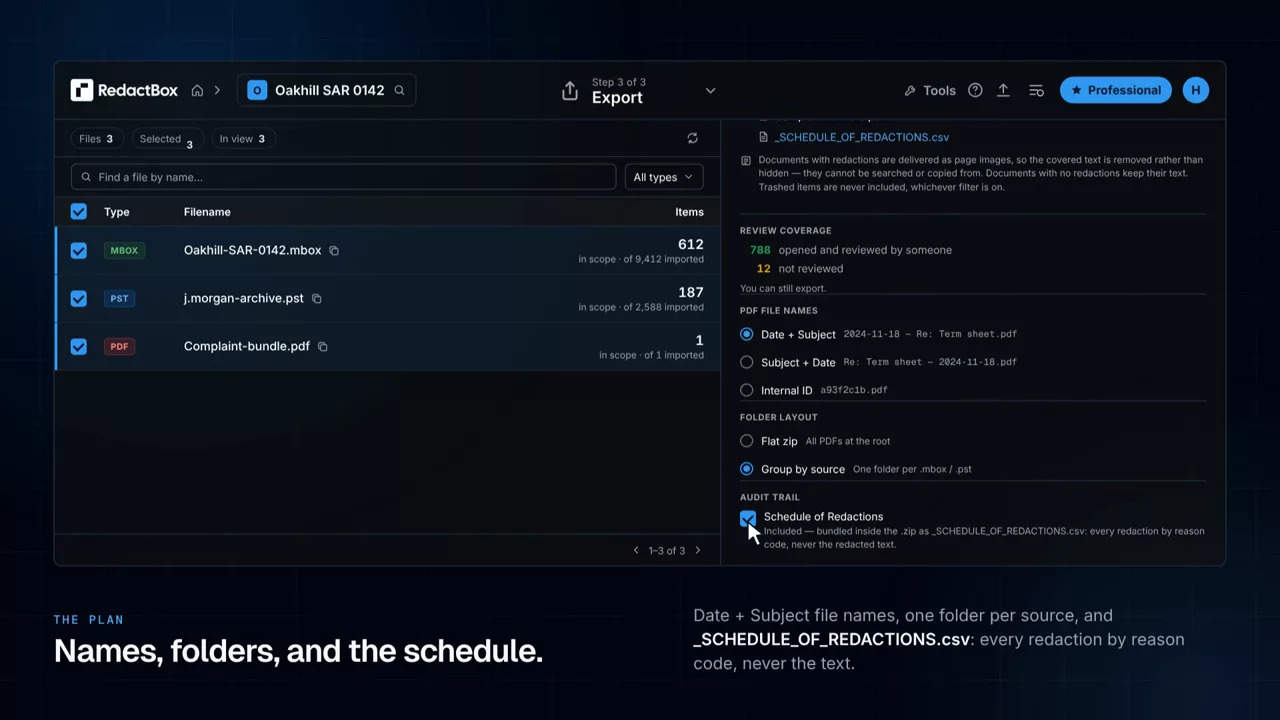
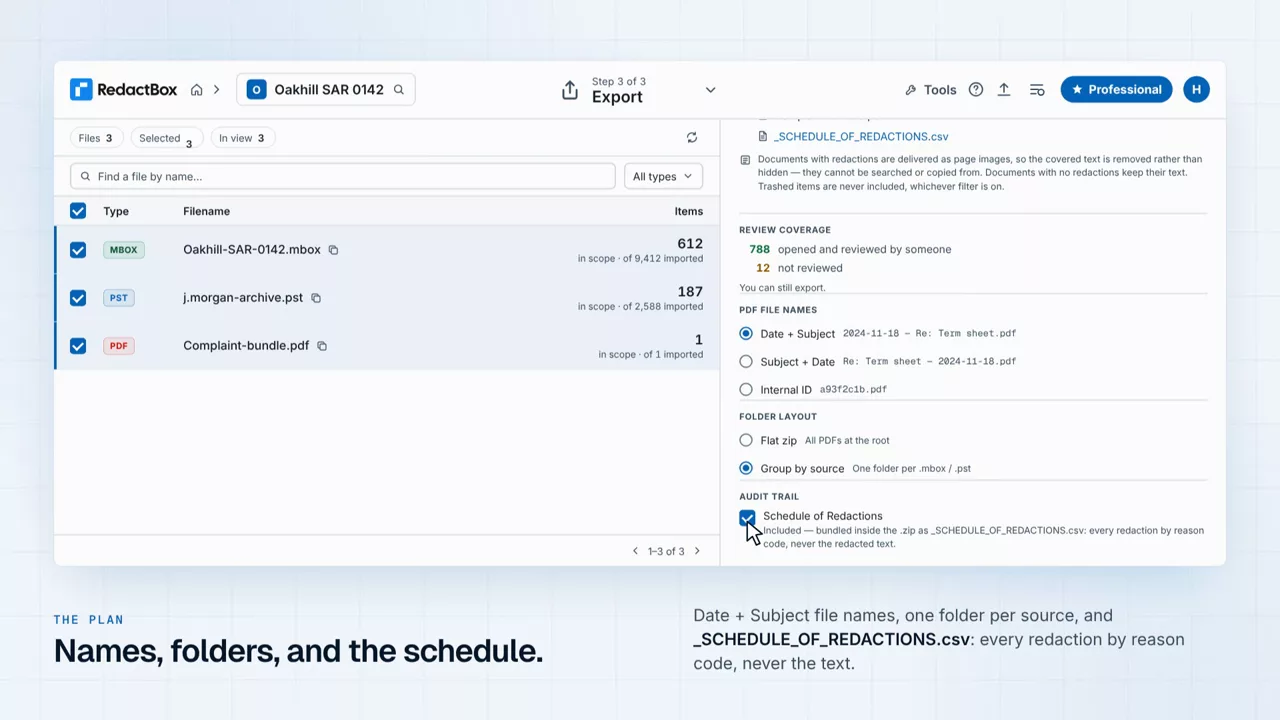
No checkbox, no setup. Every project, including those on the free tier, captures the full redaction history from the first action. Export the trail as a PDF or CSV and defend the work if you are ever asked to.
Every redaction logged
Manual redactions, bulk redactions, and search-and-redact matches all land in the same log. Nothing is hidden.
Who did what
Each entry records the user, project, file, target text and timestamp, so you can defend any decision after the fact.
Search and filter
Filter by user, date, file or reason. Find the redaction you need in seconds, even across thousands of entries.
Export to PDF or CSV
Attach the audit log to your SAR, DSAR or FOI response. Pick the format your requester or regulator expects.
Tamper-evident
The log is append-only at the database level. Removing a redaction creates a new entry, and the original is preserved.
Always on
No setting to enable. Every project has full audit logging on by default, on every plan including the free tier.
Built for the moments you need to prove it
Subject Access Requests (SAR / DSAR)
Evidence the third-party PII you removed. If a requester challenges a redaction, you have the full record: who made it, when, and why.
Freedom of Information (FOI)
Show the trail behind every Section 40 (personal data) and Section 31 (law enforcement) exemption. Defensible by design.
Internal compliance and ISO audits
Pull the audit log when an internal auditor or external assessor asks for evidence of your data-handling controls.
Legal discovery and disclosure
Prove the chain of custody for redactions in disclosure bundles. Export per-project trails as part of your discovery response.
Questions
Defend every redaction you make
Audit trail is included on every plan, including the free tier. Start a project, redact, and export your audit log in minutes.