
Email Redaction
Software & Tools
Email redaction software with smart search, pattern matching, bulk redaction and full audit trails, built for schools, FOI officers and any organisation that has to process sensitive documents at scale.
New
People Detection
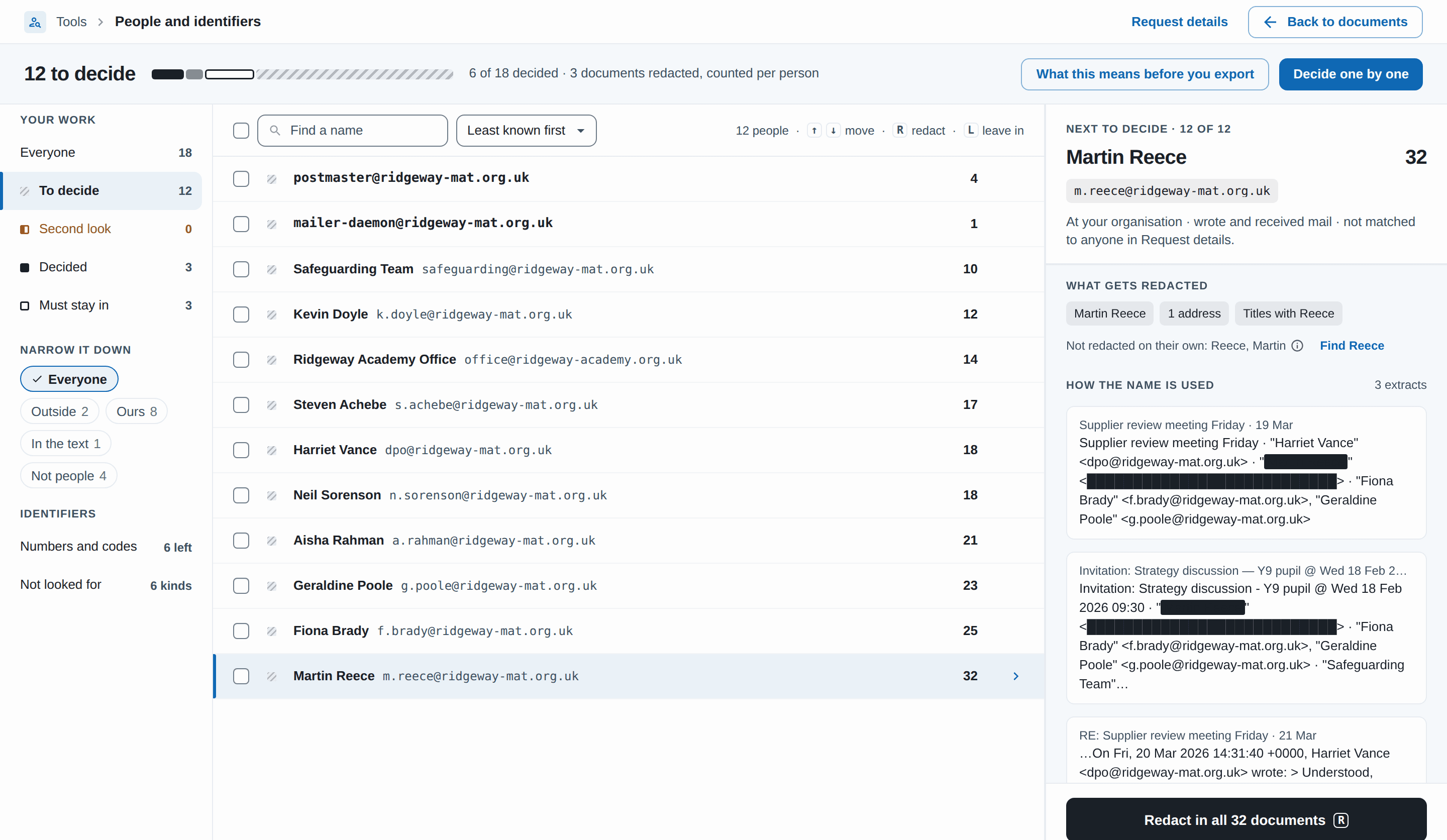
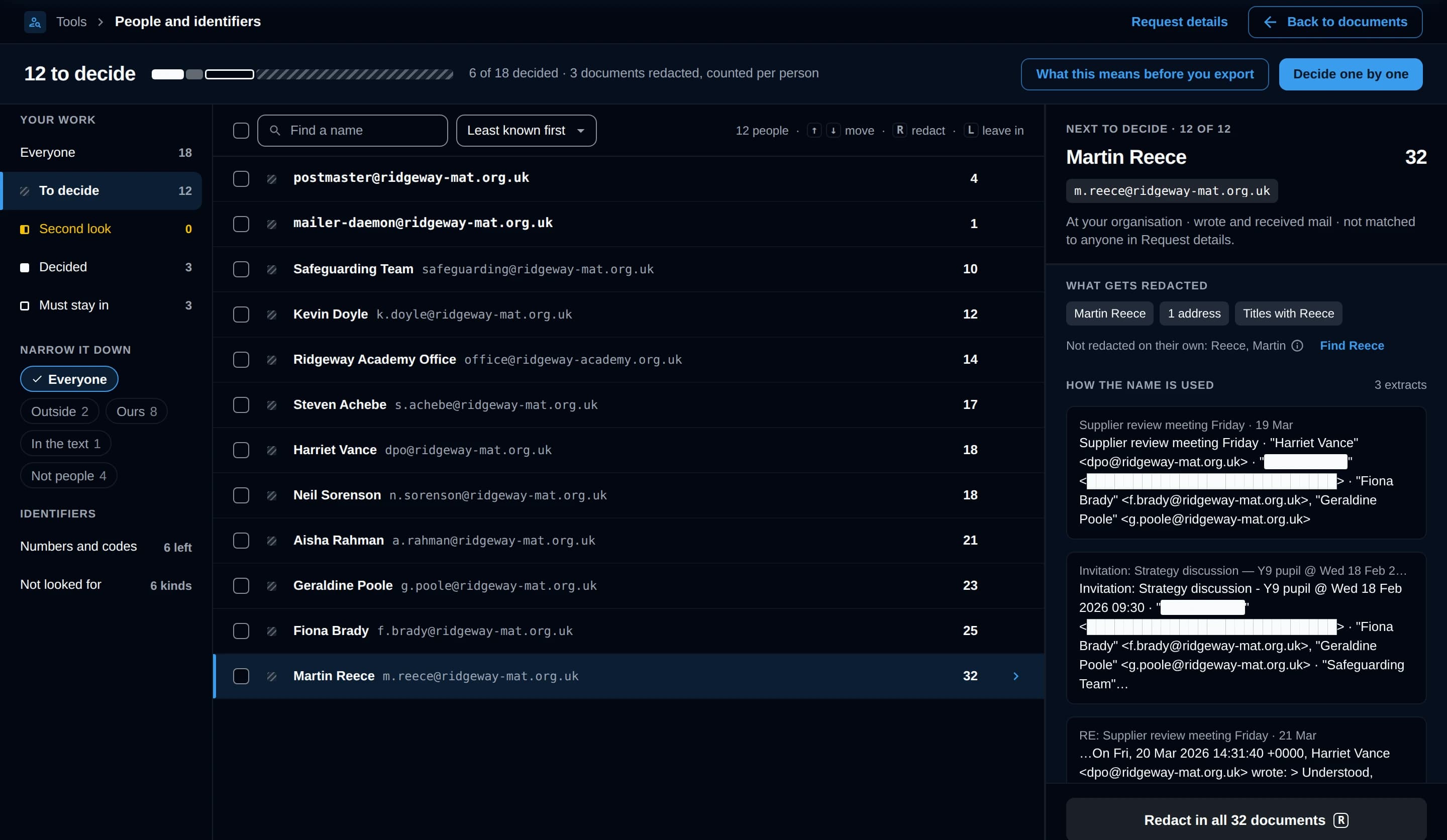
RedactBox lists everyone in your documents. Redact someone once and they’re redacted everywhere they appear.
See who’s in there before you start reading
Everyone who sent or received a message, plus names in replies and sign-offs, one row per person. The requester always stays in.
- Decide once per person
- Redact a whole group in one run
- The requester is never redacted
- Documents you approve later are covered too
- Finds phone, NHS and NI numbers too
Search & Redact
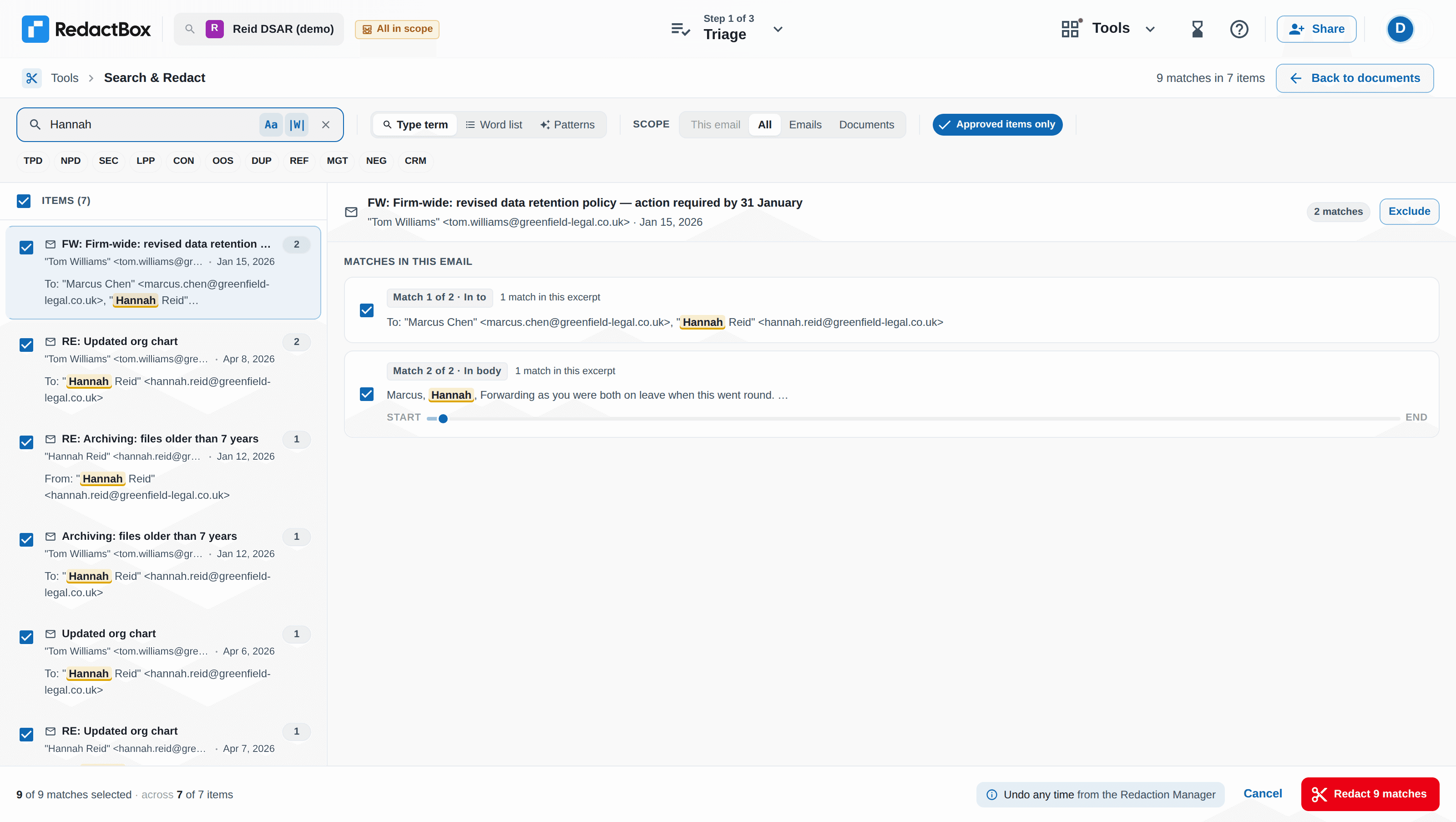
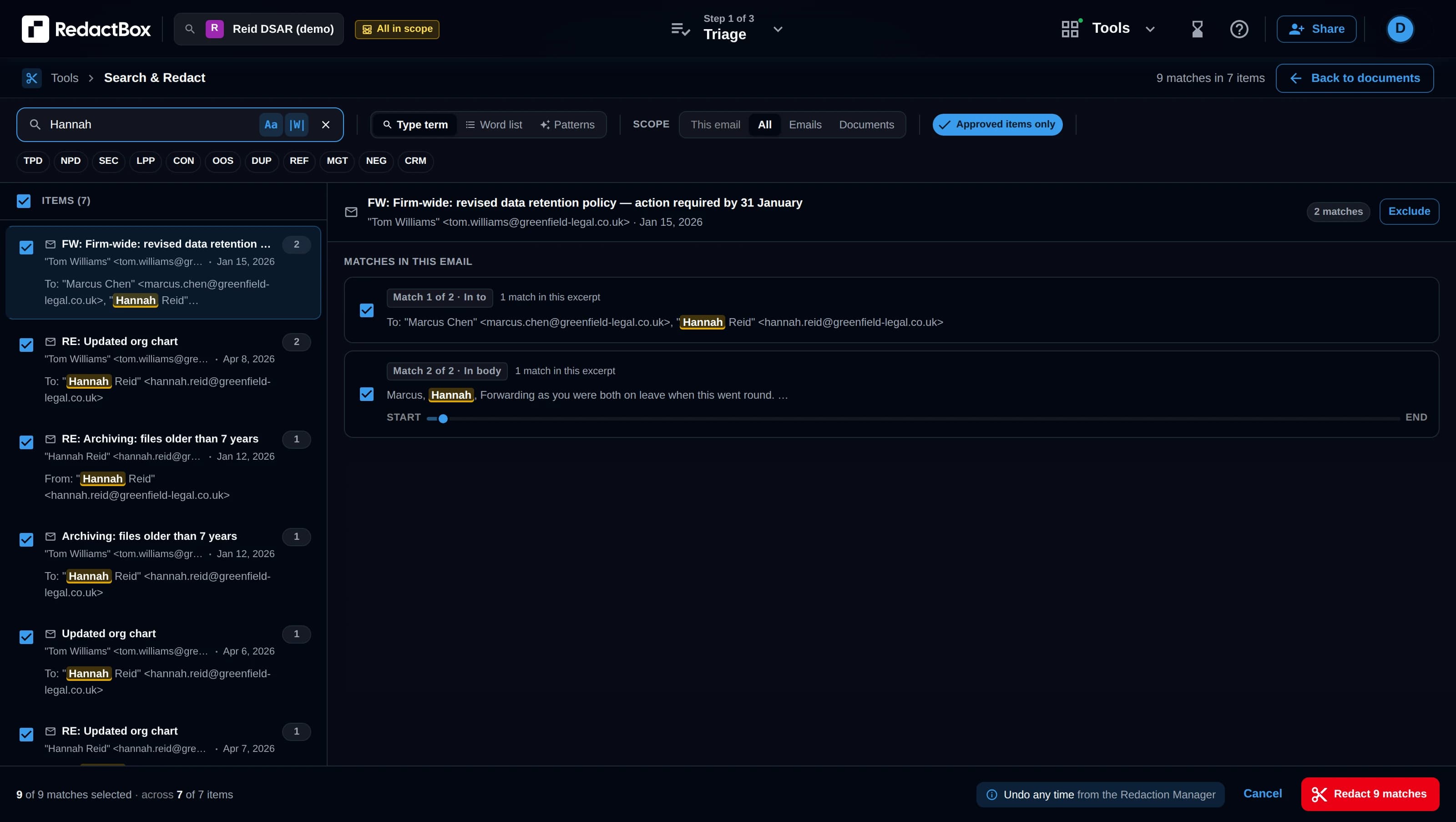
Search your entire email archive for names, phrases, or patterns. Preview all matches, then bulk redact with a single click.
Bulk redaction made simple
Find and redact sensitive information across thousands of emails at once, instead of searching each email by hand.
- Search across all emails instantly
- Preview matches before redacting
- Bulk redact with one click
- Case-sensitive matching option
- Whole-word matching for precision
Duplicate Detection
Cleaner exports, fewer pages
Finds duplicate emails across uploaded files automatically using each email's Message-ID header. Review groups in a wizard, pick which copy to keep, and exclude the rest from export.
How Duplicate Detection worksHow it works
- Cross-file detection using Message-ID: accurate, not fuzzy
- Three keep strategies: Smart pick, Keep newest, or Keep oldest
- Review groups in a 3-step wizard or resolve inline
- Dismiss groups with an Undo at any point
- Resolved duplicates excluded from every export
Specialised Capabilities
Search & Bulk Redact
Search your entire email archive for names, phrases, or patterns. Preview all matches across all emails, then bulk redact with a single click. Case-sensitive and whole-word options for precision.
Duplicate Detection
Finds duplicate emails across uploaded files automatically using each email's Message-ID header. Review groups in a wizard, pick which copy to keep (Smart pick, Keep newest, or Keep oldest), and exclude the rest from export without touching the copy you want to keep.
Highlight to Redact
Highlight text in any email to instantly redact matching text across your entire archive. Choose to redact in the current email only or apply across all emails with matching content.
Multi-Format Document Processing
Process PDF documents, MBOX, PST, EML, and MSG email files efficiently. Handle PDF files, email archives and individual emails from Gmail, Outlook, Google Vault, and MS Purview with specialised redaction tools.
Project Sharing & Collaboration
Invite colleagues to a project by email and choose their access level. Editors redact alongside you, viewers review for free, and real-time presence shows who is working on what. A Professional capability.
Email Triage & Organisation
Sort, categorise, and identify relevant emails from large datasets with our specialised triage system designed for GDPR compliance and information requests.
Possibly Missed Redactions
Redacted a name across most of a project? RedactBox lists approved items that have nothing redacted but still contain a term you redacted elsewhere, grouped by term. Redact them in one go or mark them not relevant, and the decision is recorded in the audit log.
Project Stats & Deadline Tracking
See how long is left before the response is due and the date you'll finish at your current pace. Track triage and review progress, what share of items contain redactions, and who did the work, then download it all as a PDF report.
In-Depth Feature Details
Advanced Triage Workflow
Our triage system is designed to handle large volumes of emails efficiently, reducing the administrative burden of processing information requests.
- Bulk selection tools for faster processing of similar emails
- Search emails to redact specific emails quickly
- Progress tracking across sessions with auto-save functionality
- View emails as they were in the original client
Duplicate Detection & Cleanup
The same email often appears in multiple .mbox, .pst, .eml, or .msg files when you export overlapping date ranges or combine Sent and Inbox folders. RedactBox finds those copies automatically and gives you a wizard to review and remove them, without touching the copy you want to keep.
- Cross-file detection using Message-ID: accurate, not fuzzy
- Three keep strategies: Smart pick (most complete copy), Keep newest, or Keep oldest
- Review groups in a 3-step wizard or resolve inline from the email row
- Dismiss groups you don't want to act on, with an Undo at any point
- Resolved duplicates are automatically excluded from every export
Precision Redaction Interface
Our redaction tools are designed specifically for email content, with specialised features for handling sensitive information in message threads.
- Highlight-and-click redaction for fast processing
- Word recognition to redact same words or phrases across emails
- Redactions saved to projects so you can come back later
- Quick undo action with each redaction to streamline redaction
Project Sharing & Team Collaboration
Redaction is rarely a one-person job. Share a project with colleagues, choose what each person can do, and work the same review together, with live presence so nobody redacts over each other.
- Invite colleagues to a project by email and set their access level
- Editors redact, triage, upload, and export alongside you
- Viewers can open and review the project, free with any RedactBox account
- Real-time presence shows who is in a project and which item they are on
- Transfer ownership to hand a project over to a colleague
- Sharing is a Professional capability: editors need their own Professional subscription
Export Tools
Create professional PDF outputs that keep the formatting of the emails but include the redactions.
- Simple email conversion to PDF
- Batch export capabilities for large datasets
- Set multiple file names for exported PDFs that make it easy to find them
- Convert Emails to PDFs without redacting
- Every document is checked on export: if text you redacted is still visible on the page, that document is held back and listed for you to fix, never exported with the text showing
Project Stats & Redaction Reports
Every project has a Stats view that answers the questions a deadline raises: how much is left, whether you will make it, and what has been redacted so far.
- Response due date, items left to triage or review, and a projected finish date from the last 7 days of activity
- Coverage split four ways, so items approved with nothing redacted stand out for a second look
- Possibly missed redactions: approved items with nothing redacted that contain a term you redacted elsewhere, checked again whenever redactions change
- How redactions were applied (in bulk, by hand, or drawn as an area), most redacted items and terms, and who did the work
- Download a PDF redaction report with an at-a-glance summary, masked terms and a sign-off block
Tailored for Your Industry
Education Sector
Subject Access Requests (SARs)
Tools specifically designed to help educational institutions comply with data protection regulations when processing Subject Access Requests.
- Streamlined workflow for educational data processing
- Guidance on sensitive educational data handling
- Response deadline and projected finish date on every project
Administrative Time-Saving
Features that reduce the administrative burden on staff handling information requests in busy educational environments.
- Bulk actions to save time
- Quick triage for prioritising urgent requests
- Efficient handling of common educational scenarios
- Streamlined administrative workflow
Business & Organisations
Legal Discovery Support
Tools designed for efficient processing of emails during legal discovery and disclosure proceedings.
- Bulk redaction of business information
- Information classification options
- Consistent handling of confidential business data
Client Confidentiality
Features to protect client information when processing email archives for business purposes.
- Client information identification
- Relationship data protection
- Business context sensitivity
- Confidentiality preservation tools
Try it on your next request
Free for one document, no card needed.